When time and leave live in different tools, someone reconciles them by hand: a week looks short because a person was on leave, or a holiday counts as a gap. Jasper HQ keeps time tracking and leave in the same product and joins them where it matters. This page covers what is joined, what is not, and what you need to switch on.
Approved leave becomes time entries
When a leave request is approved, Jasper creates a time entry for each leave day. The hours are the person's own working hours for that day, less any public holidays that apply to them, and a half day is halved. Each entry is on the project the leave policy names, marked non-billable and approved, and starts at 09:00 in the person's own timezone. The entries join the week's timesheet like any other time.
This is a setting on the leave policy, not automatic for every policy: the policy needs automatic time entries switched on and a project chosen for them. If that is not set up, approving leave still works, but no time entries appear. If the entries cannot be created, the approval does not go through, so approved leave never goes missing from timesheets.
If a request is rejected or cancelled, its time entries are deleted and the week's totals are recalculated.
Public holidays
Public holidays work the same way. Each holiday can create a time entry for the people it applies to, on a project you choose. It skips anyone who does not work that day, and it does not create the same entry twice. Our leave planner, which also has a page for each region, works without an account.
What you see on the timeline and the balance
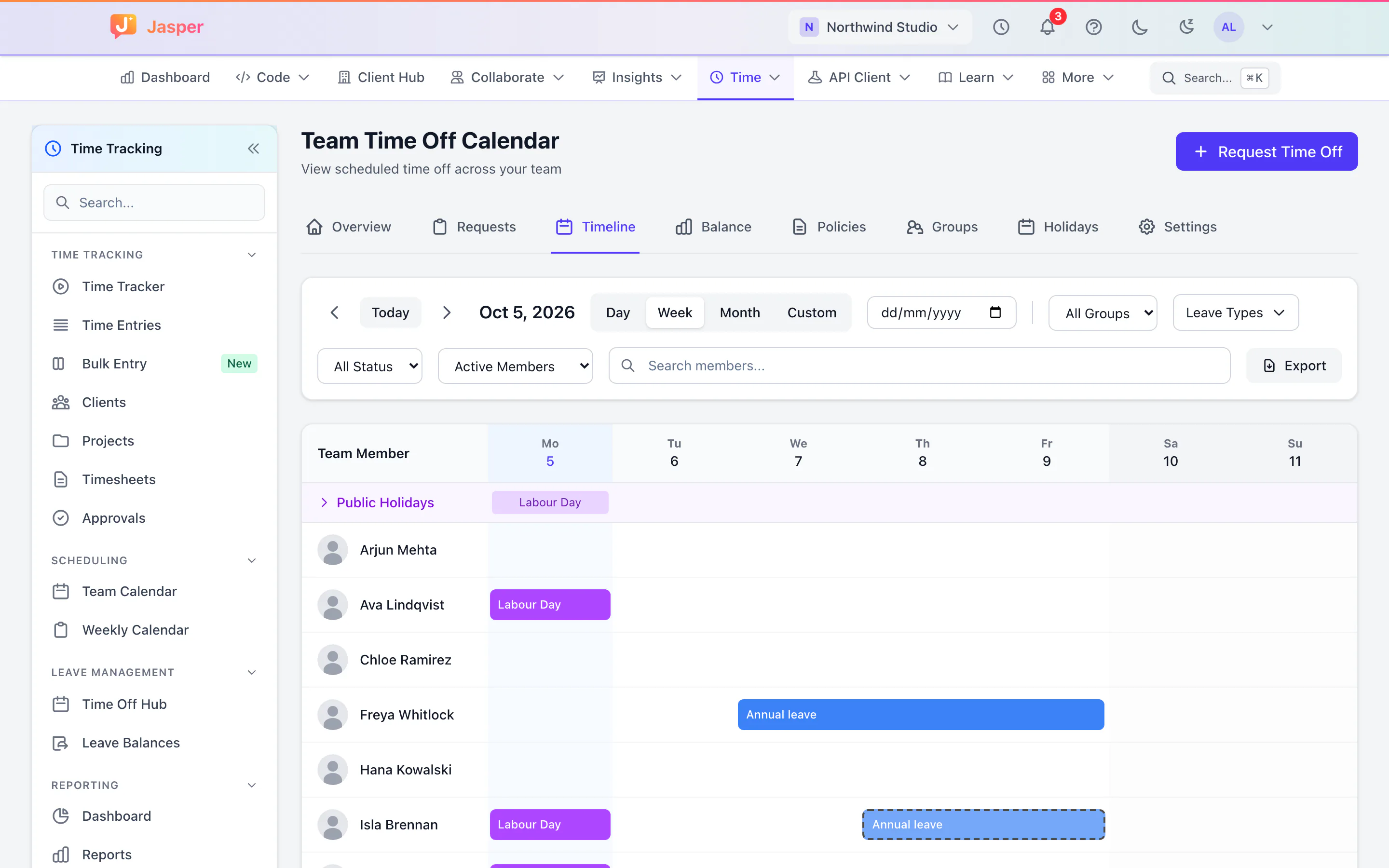
People see their own balance, and requests go to an approver. Requests can pass through more than one approver, and the person is told the outcome. Admins can adjust balances, and each adjustment is kept in the history. The team timeline shows who is away this week or this month, so you see leave before you assign a launch. Accrual and maximum balances are set per policy. Our glossary entries on leave accrual and time off policy explain the terms.
How leave affects the timesheet
Leave entries count toward the week's total, so a person with a day of annual leave shows a full week against their expected hours instead of a short one. They are non-billable, so they do not inflate billable hours or utilisation. An approver reviewing the timesheet sees the leave entries in the list like any other row. See timesheets with approvals for how that review works.
Which plan has what
Time tracking is in the Time app, which the Free plan includes. Leave is in the People app, which is a paid app and is not in Free. If you are on Free, the leave half of this page needs a paid plan. See the free time tracker page for what Free covers, and the pricing page for the apps.
What it does not do
- No payroll. Jasper HQ does not pay anyone or run pay cycles.
- No resource forecasting. The timeline shows leave and holidays, and you plan the work yourself.
- Leave and holiday entries only appear where the policy or the holiday is set up for them.
- Leave entries are created when a request is approved. A pending request shows on the timeline but not on the timesheet.
The leave management page lists everything else leave does, and the time tracking page covers the timer, reports and retainers.