An agency's day crosses a lot of tools: a chat app, a time tracker, a leave spreadsheet, a shared inbox, an API client, a review bot. Each is good at its job and each has its own login, its own people list and its own bill. Jasper puts the parts agencies use most in one workspace, built by Shakewell, an Australian agency that runs on it.
It does not replace everything, and it is not full agency management software with invoicing, a CRM and resource forecasting. The table says which tools Jasper can stand in for, and where it stops. Competitor facts, with their sources and the date we checked them, are on the comparison pages linked in the last column.
What Jasper can replace, and where it stops
| Job | What Jasper has | Where it stops | Compare |
|---|---|---|---|
| Team chat and calls | Channels, threads, direct messages, huddles and calls of up to 25 people with screen sharing, and clients and guests in the conversations you add them to. | No shared channels between two organisations and no app marketplace. The phone app is Android only for now. | Slack |
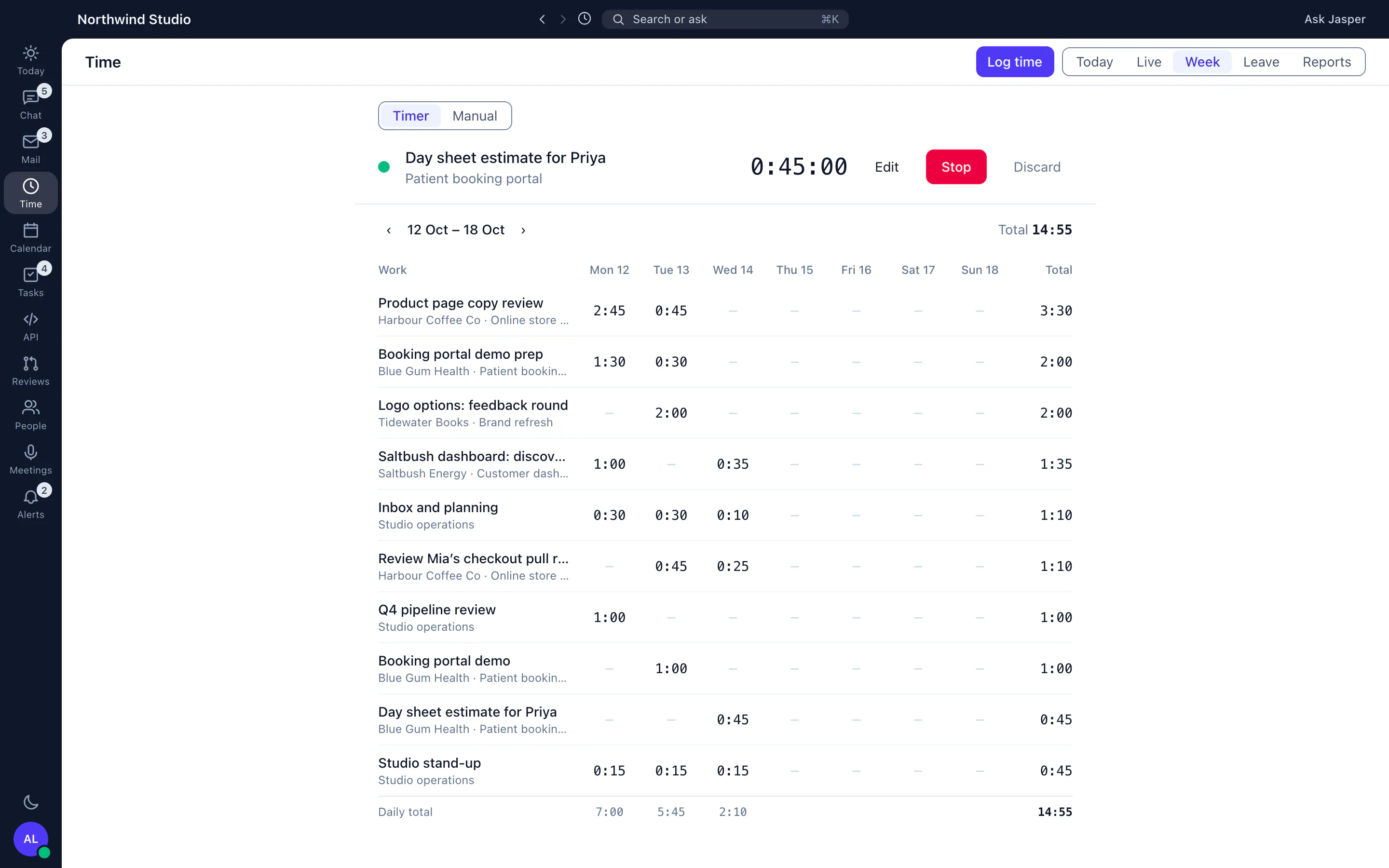
| Time tracking and timesheets | A timer and manual entries by client and project, weekly timesheets with approvals, reports, and CSV and PDF exports (Time app). | No invoicing, and time entries import from a Clockify Detailed report CSV only, not from other time trackers. | Clockify, Harvest, Toggl |
| Annual leave and who is away | Requests, approvals, accrual policies, balances and a team timeline (People app). | No payroll integration. Holidays are entered by hand; opening balances can be loaded from a CSV. | Timetastic |
| Client retainers | Retainers that draw down from logged time, with rollover and expiry warnings (Time app). | Counts hours, not money, and there is no client portal. See the Client Hub. | Retainers guide |
| IMAP mailboxes in the desktop app, next to chat, with send later, snooze and smart inboxes. | No shared inboxes for customers of other companies, and no Microsoft 365 or Outlook.com mail yet. | Front, Missive | |
| API testing | A shared API client in the desktop app with collections, environments and Postman scripts, so localhost and VPN APIs work. | See the comparison for what you give up. | Postman |
| Pull request review | AI review of GitHub pull requests with inline comments and slash commands, in the Dev app. | GitHub only. | CodeRabbit, Greptile, Copilot |
| Wiki, training and uptime | A wiki with version history and page comments, staff training courses with SCORM import and export, and uptime monitoring for client sites (training is in the web app; uptime is in the Dev app). | The wiki has no page templates, and no tag picker or file upload button in the page editor yet. | Wiki, Uptime |
Jasper works next to ClickUp
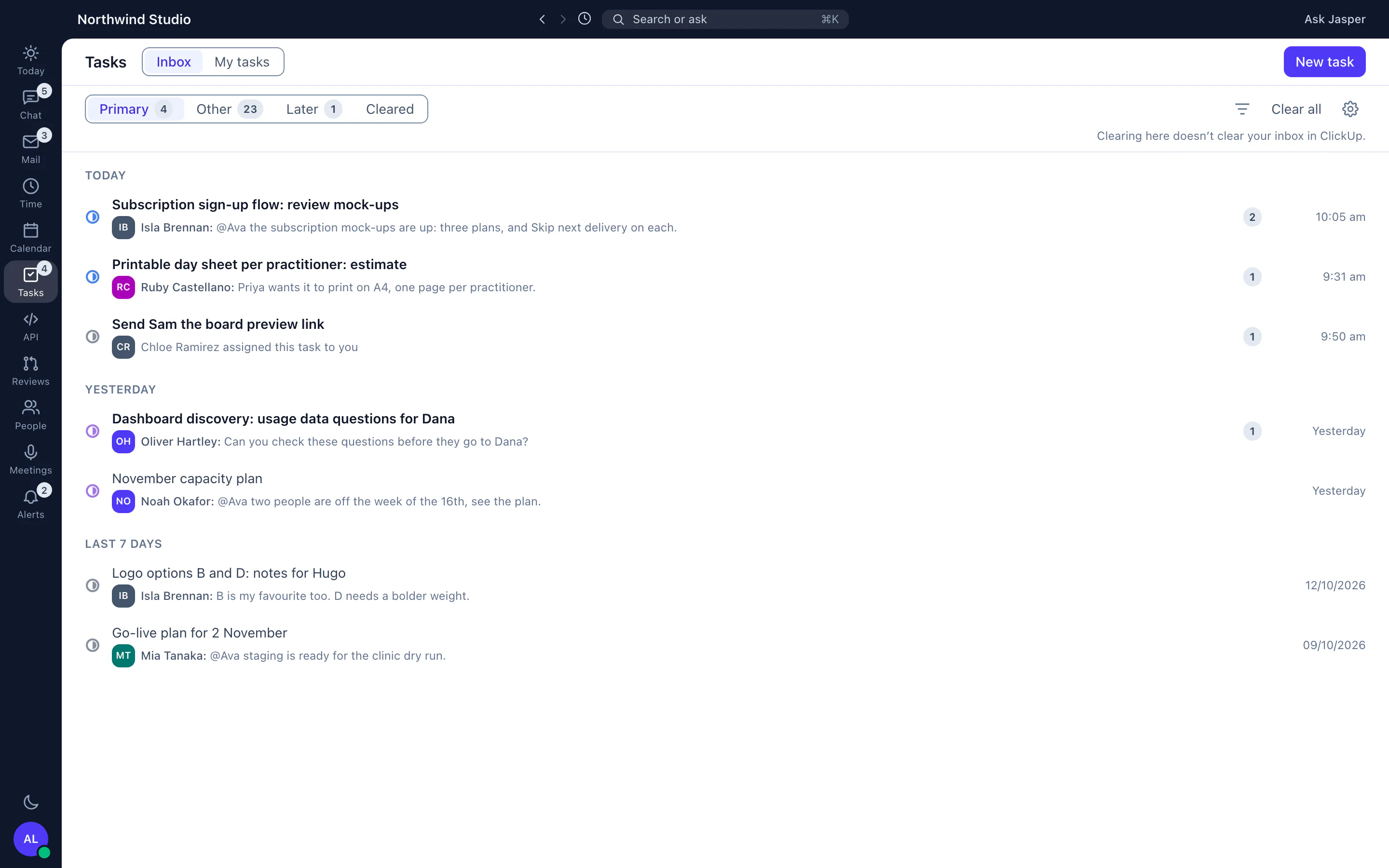
Jasper is not a project management tool. If you manage tasks in ClickUp, connect it: link time entries to ClickUp tasks, and see your tasks in the desktop app. How Jasper and ClickUp work together.
What Jasper does not replace
- Invoicing and accounting. Exports carry hours, and invoices are made in your accounting tool.
- A CRM, proposals and estimates.
- Resource forecasting. Leave and capacity are visible, but schedules do not pick up approved leave.
- Single sign-on (SSO) and SCIM provisioning.
How to move across without a big bang
- Start free: create a workspace, invite the team and move chat first. An admin can upload a Slack export under Settings, Slack to bring in its channels with threads and reactions. Direct messages are not imported.
- Time tracking and the Client Hub are in the Time app, and leave is in the People app.
- Run the old time tracker and Jasper side by side for one timesheet period, and check the totals match before you switch the old one off.