The problem it solves
Most agencies pay for a chat tool, a video tool and a time tracker, then copy links between them all day. Jasper puts chat and calls in the same workspace as the rest of your team's day.
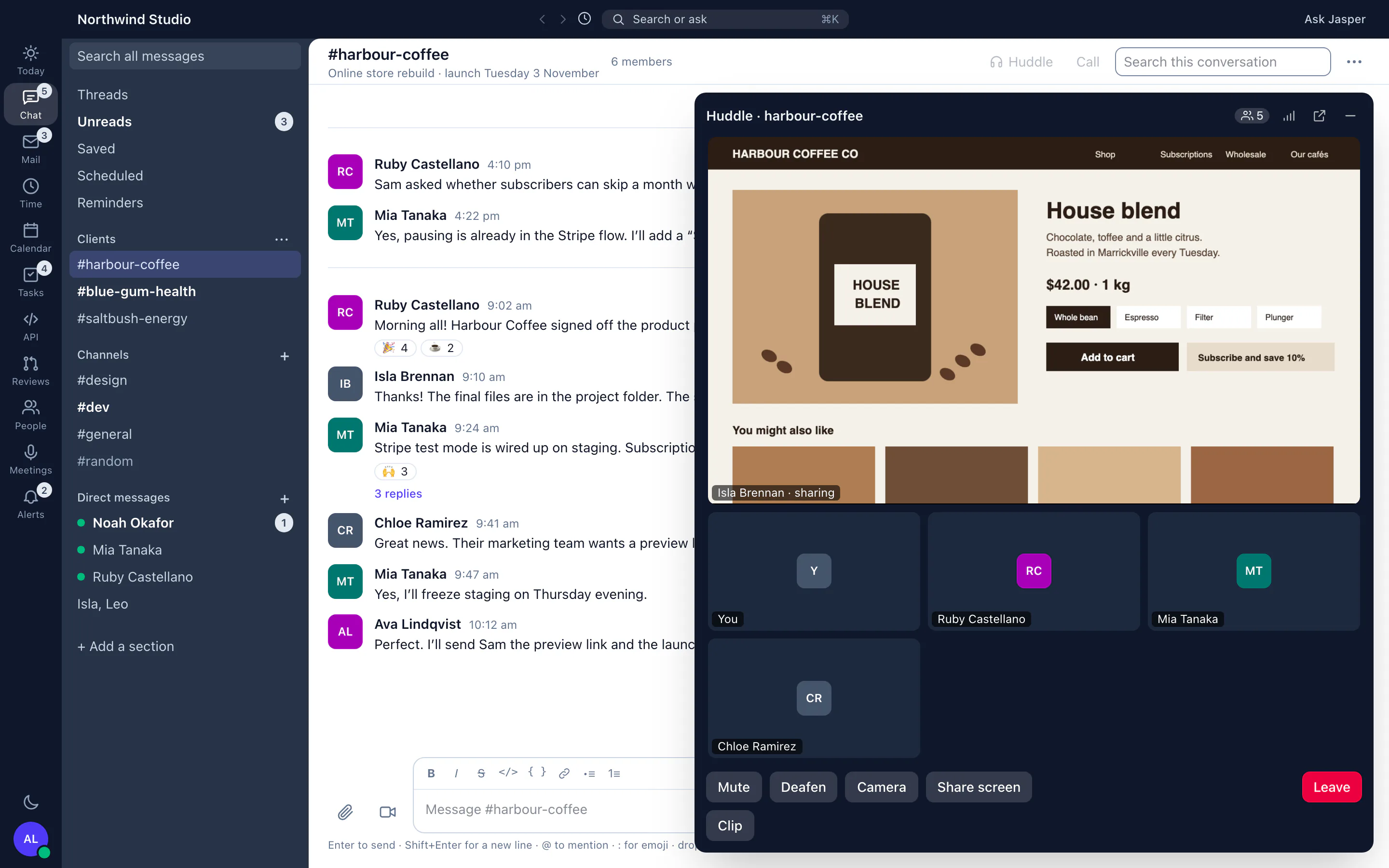
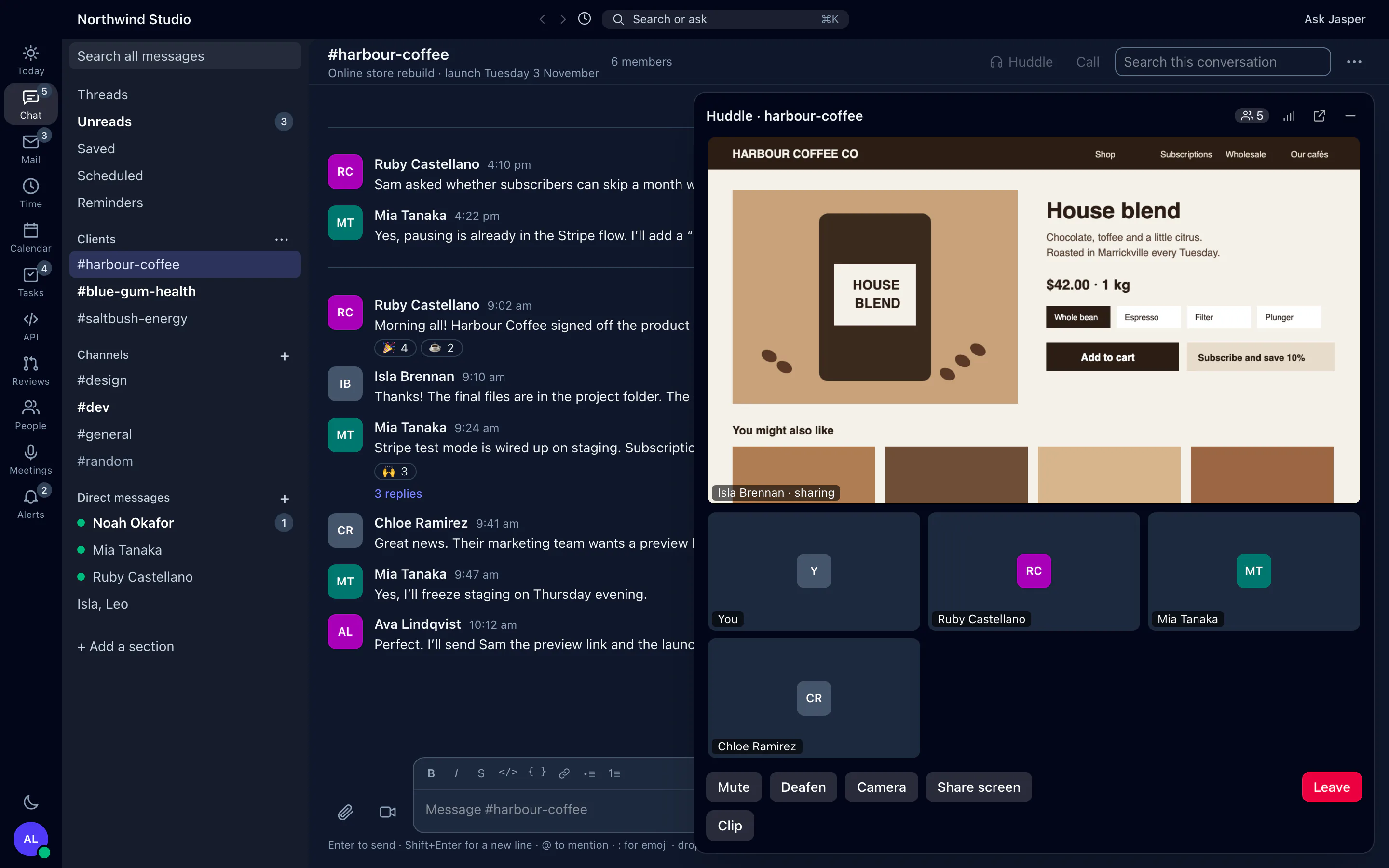
Client work makes it worse. A question about a pull request arrives in chat, the task sits in ClickUp, the call happens in a video tool and the hours go into a timesheet at the end of the week. Jasper Chat is where that day happens: a channel for each client or project, calls one click away, and GitHub and ClickUp links that show their status inside the message.
What it does
Talk in channels and threads
Use public and private channels, one-to-one messages and group messages. Reply in a thread to keep a topic together, react, pin the messages people keep asking for, and save messages to come back to. Custom emoji and slash commands are built in, and the desktop app shows who has seen your message.
Add your own sidebar sections in the desktop app, and bookmark links in a channel on the web. Mute a busy channel, or choose which messages notify you. Owners and admins can set up groups, so one @mention reaches a whole team.
Find things again
Search messages for a word or a phrase, and narrow the search with in: and before: or after: dates. Share files of up to 500 MB in any conversation.
Work across hours and time zones
Schedule a message to arrive in a colleague's morning, set a reminder on any message, and keep a draft in each conversation while you move between them. Each person's profile shows their local time. Statuses change by themselves when someone is on leave or in a call, so you can see who is away before you ask. If you miss direct messages, mentions or replies in threads you follow, Jasper emails you about them, 15 minutes later by default.
Huddles, calls and clips
In the desktop app, start a huddle in any channel or direct message. A huddle rings no one: it starts with audio, people drop in and out, and it ends when the last person leaves. A call rings the people in the conversation. Both take up to 25 people, with video, screen sharing and a window you can pop out and keep on top. In the browser, a conversation tells you to join calls and huddles from the desktop app, and shows a note in the chat when a huddle ends.
You can also record a clip of your screen with your voice, up to 5 minutes long, to explain a bug or a design change instead of typing it out. During a call, you can save the last 30 seconds of a shared screen as a clip.
Recording, if your organisation turns it on
Recording is off by default, and an owner chooses how it works. In the mode that records every call and huddle, recording starts once two people have joined and covers anyone who joins later. No one is asked to agree first: a notice says the call is recorded, on the incoming call card and inside the call or huddle. Two other modes start from a Record button, asking everyone first or starting at once, but that button isn't available on Jasper's current calls yet. Each person's audio is transcribed separately by Amazon Transcribe, so the transcript names who said what. Transcripts of 150 words or more are then summarised by Anthropic's Claude, with a title, key points and action items. Both happen without anyone asking, and the notes appear in Meetings in the desktop app.
Owners and admins also get a log of calls on the web, where they can play and download recordings and export the log to CSV.
AI help when you ask for it
Translate any message, or your own draft, into English, Filipino, Persian or Arabic. In the desktop app, ask for a summary of a busy channel, or use Catch me up to get the gist of everything unread after time away. The desktop app suggests replies when you click for them. Automatic suggestions stay off unless you switch them on.
How agencies use it
A channel for each client
Create a channel for each client or project and keep each topic in a thread. When a developer pastes a pull request link, the account manager sees its state and checks without opening GitHub. A ClickUp task link shows its status to people assigned to the task or who have connected their own ClickUp account. Build and deploy alerts that your other tools already send to Slack can go to the client's channel instead, by swapping the webhook address.
Explaining without a meeting
A designer records a two-minute screen clip of a change and posts it in the thread. The developer asks questions there, and if it needs a conversation, starts a call and shares a screen.
One team across time zones
A lead in Sydney schedules feedback to arrive at 9 am in London, sets a reminder to check for a reply, and can see from a colleague's status that they are on leave this week. Our guide to running one team across Sydney, London and New York covers the overlap hours.
What it doesn't do yet
- No mobile apps. Chat is in the browser and the desktop app for macOS, Windows and Linux.
- No guests or shared channels. Everyone in a conversation or call must be a member of your organisation, so you can't invite a client into a channel.
- Calls and huddles take up to 25 people. There are no webinars, dial-in numbers or join links for people outside your organisation.
- Huddles, calls, screen clips, channel summaries, Catch me up and reply suggestions are only in the desktop app. You can't start or join a call in the browser.
- Recording has no settings screen yet: an owner changes it through the API, or we change it with you. Only the mode that records every call and huddle works today. You can't record a single call with a Record button.
- Transcription recognises English, Tagalog, Persian and Arabic, and summaries are written in English.
- Search looks at the text of messages, not inside files.
- There is no message retention setting and no export of your organisation's chat history. Only the call log exports, to CSV.
- Uploaded files are not scanned for viruses.
- No app directory or bots. Incoming webhooks, the API and the MCP server are the ways to connect other tools.
How it connects
Web: Channels, threads, direct messages, files and search. Calls and huddles are joined from the desktop app.
Desktop app (macOS, Windows and Linux): Chat as on the web, plus huddles and calls with video, screen sharing and a pop-out window, screen clips, read receipts, channel summaries, Catch me up and reply suggestions. Channel bookmarks and the admin call log are on the web only.
- GitHub: pull request, issue and commit links show a card, with the state of pull requests and issues and the check results of pull requests and commits, for repositories connected through the GitHub App.
- ClickUp: task links show the task to people who can open it (team plans).
- Slack-compatible incoming webhooks: tools that post to a Slack webhook can post to a Jasper channel. Add them from the desktop app.
- MCP server: AI assistants such as Claude, ChatGPT or Cursor can read and post messages as you.
- Slack history: our team imports a Slack export for you.
Integration pages: GitHub, ClickUp, MCP server, Webhooks and API
Plans
Chat, huddles and calls are in the free plan. ClickUp task cards need the ClickUp integration, which is on team plans. See pricing.