The problem it solves
Training usually means another login and a spreadsheet of who has finished what. Jasper Learn keeps courses and completion records next to the rest of your team's work.
Agencies hire, onboard and retrain all the time. New starters need the same induction, everyone needs this year's security and privacy refresher, and some clients ask you to show that the people on their account have done it. A separate learning platform means another login, another bill and a spreadsheet of who has finished what. And when a tender or a client's security questionnaire asks how your staff are trained, someone has to piece the answer together.
Jasper Learn keeps courses, assignments and completion records with the rest of your team's work, in the web app. People find their courses in a catalogue and work through them at their own pace. Admins see who is on track without chasing anyone for a screenshot.
What it does
Build courses
Build a course from modules and lessons. Each lesson is made of blocks: text, images, video, embeds, files and questions. Questions can be single choice, multiple choice or true or false.
Add quizzes with a pass mark, so a course is only complete when people have shown they understood it. Add policy acknowledgements for the documents people must confirm they have read, such as a code of conduct or an AI usage policy.
Bring the courses you already have
Import SCORM 1.2 and SCORM 2004 packages, and launch cmi5 content. Courses you build in Jasper can be exported as SCORM packages, so they aren't locked in. Learning activity is recorded in Jasper's built-in xAPI store (a learning record store).
Assign the right training
Assign a course to one person, to many people at once, or with rules. Rules run again on a schedule, so new starters are enrolled without anyone having to remember. Recurring training expires and enrols people again. Courses can have a due date, and people are reminded before it arrives. Each assignment rule can be switched off and on, so you can pause it while you update a course.
Certificates
Completing a course issues a certificate with a serial number.
Show who has done what
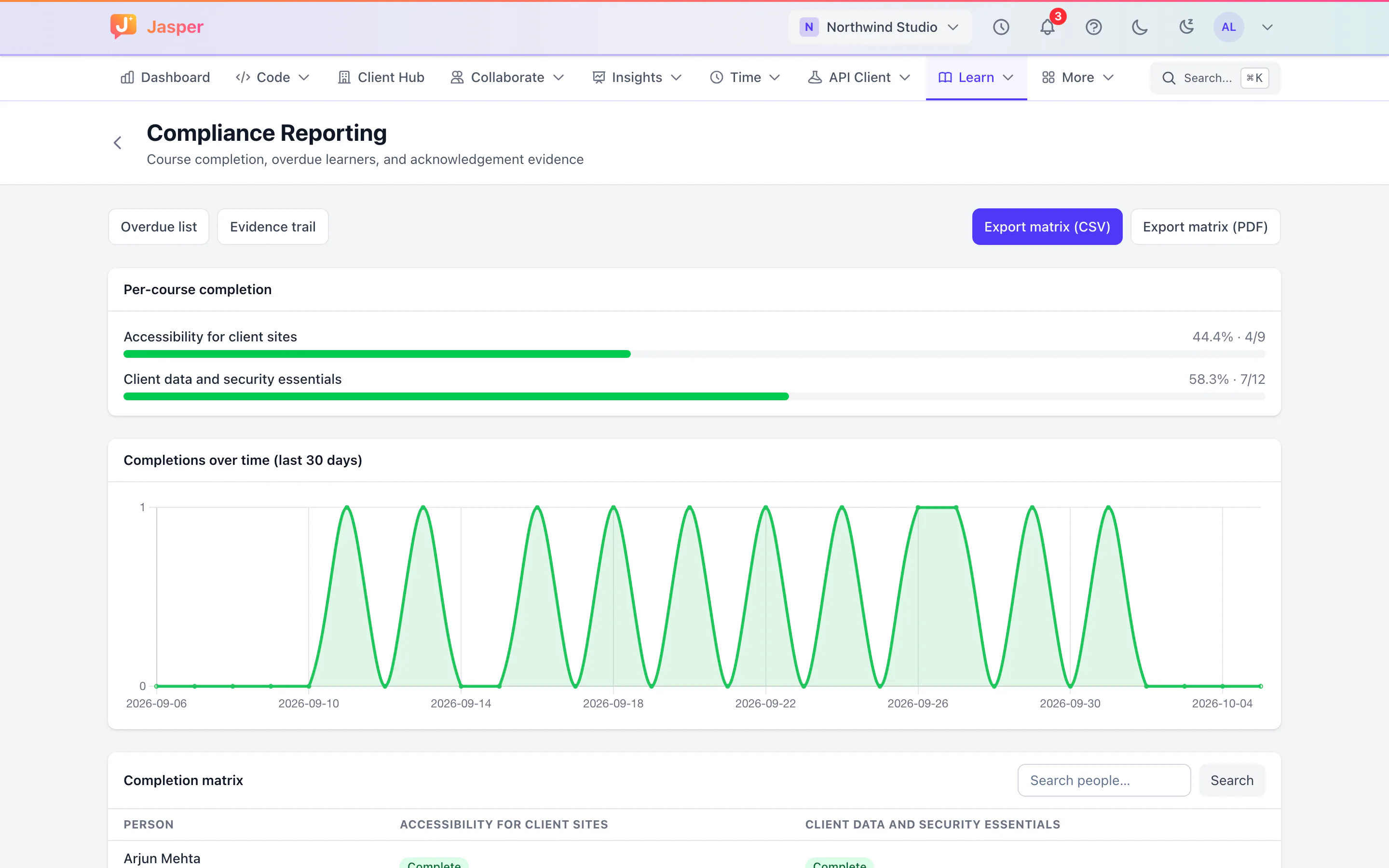
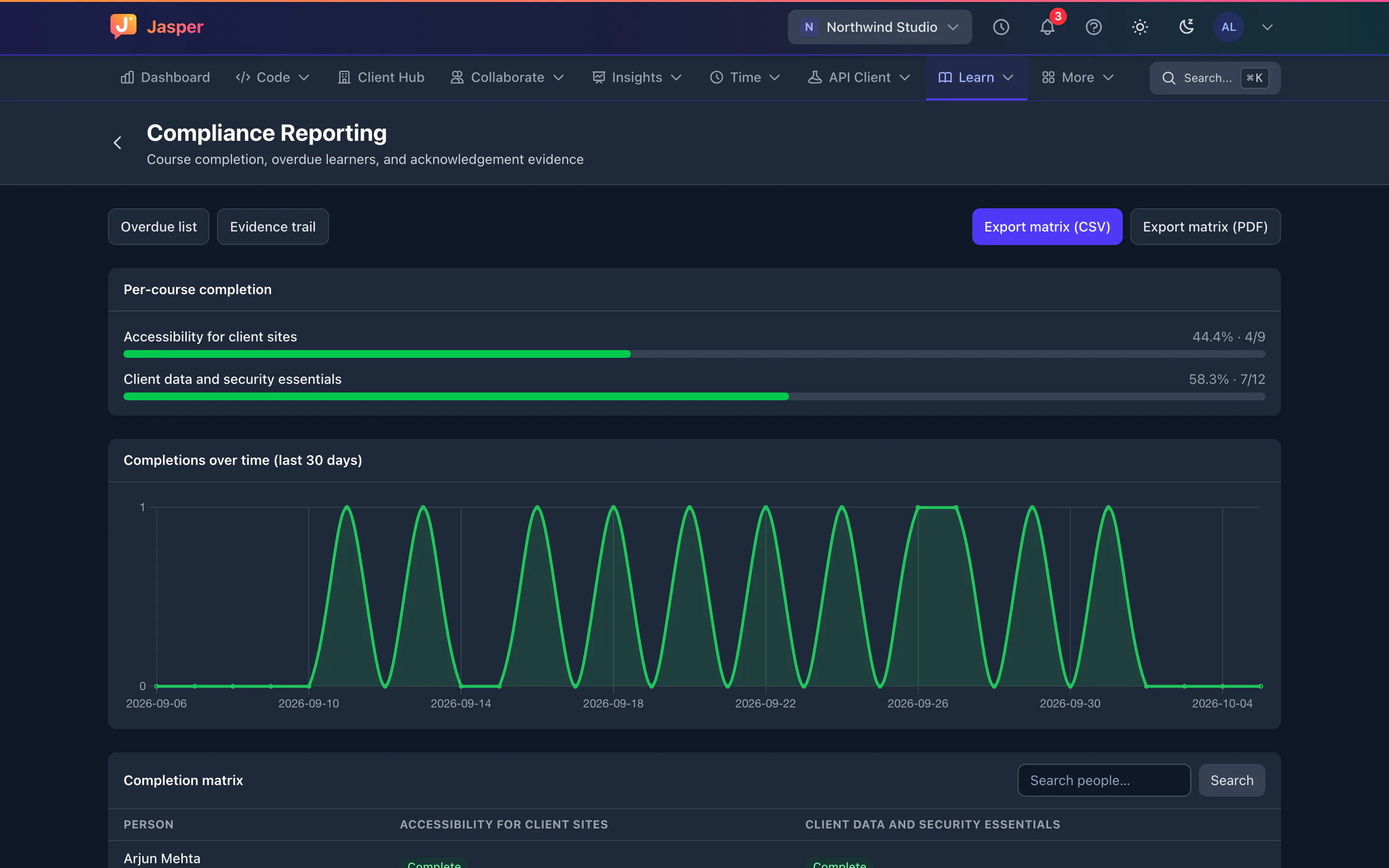
Compliance reports show who is overdue, a matrix of people against required courses, and the evidence of each completion. Export the matrix and the evidence to CSV.
How agencies use it
The same induction for every new starter
Operations builds an induction course on tools, timesheets, leave and security basics, ending in a quiz and a certificate. An assignment rule enrols new starters, so nobody is missed when hiring is busy.
Yearly refreshers
The security and privacy refresher is set to recur. When it expires, people are enrolled again and reminded before it is due, and the compliance matrix shows who is behind.
Training for one client's account
A client has its own content rules and approval steps. The account lead builds a short course on them and assigns it to each person who joins the account, with a quiz at the end so they can show they have understood it.
Moving off another platform
Courses you already have as SCORM packages come across by import, so people keep the training they know while you build new courses in Jasper. Courses you build in Jasper export as SCORM if you ever need to move them again.
Evidence for a client
A client's security questionnaire asks whether staff on their account have done security training. The operations manager exports the completion evidence to CSV and attaches it.
What it doesn't do yet
- Learning is in the web app only. It isn't in the desktop app, and there is no mobile app.
- The SCORM import and export pages aren't linked from the app's menus yet. Ask us for their address.
- Certificates are issued, but there is no link to view or download them in the app yet.
- Learners must be members of your organisation. You can't enrol clients or other outside people as guests.
- It is for training your own team. There is no course store and no payments.
How it connects
Web: The course catalogue, courses, quizzes, certificates and admin reports.
Desktop app (macOS, Windows and Linux): Not in the desktop app.
- SCORM 1.2 and 2004 import, and SCORM export of the courses you build.
- cmi5 launch.
- A built-in xAPI store (learning record store).
Plans
Learning is in the free plan. See pricing.