The problem it solves
API requests live in personal workspaces, credentials get passed around in chat, and sharing a collection means paying for every seat. Jasper's API client keeps your team's collections in shared workspaces on the free plan, next to your chat and code review.
It also brings what you already have. Import your Postman collections and environments, and the desktop app runs their scripts in Postman's own script engine. Moving across? See how Jasper compares with Postman, or sync your Postman collections into Jasper while you switch.
What it does
Collections your team shares
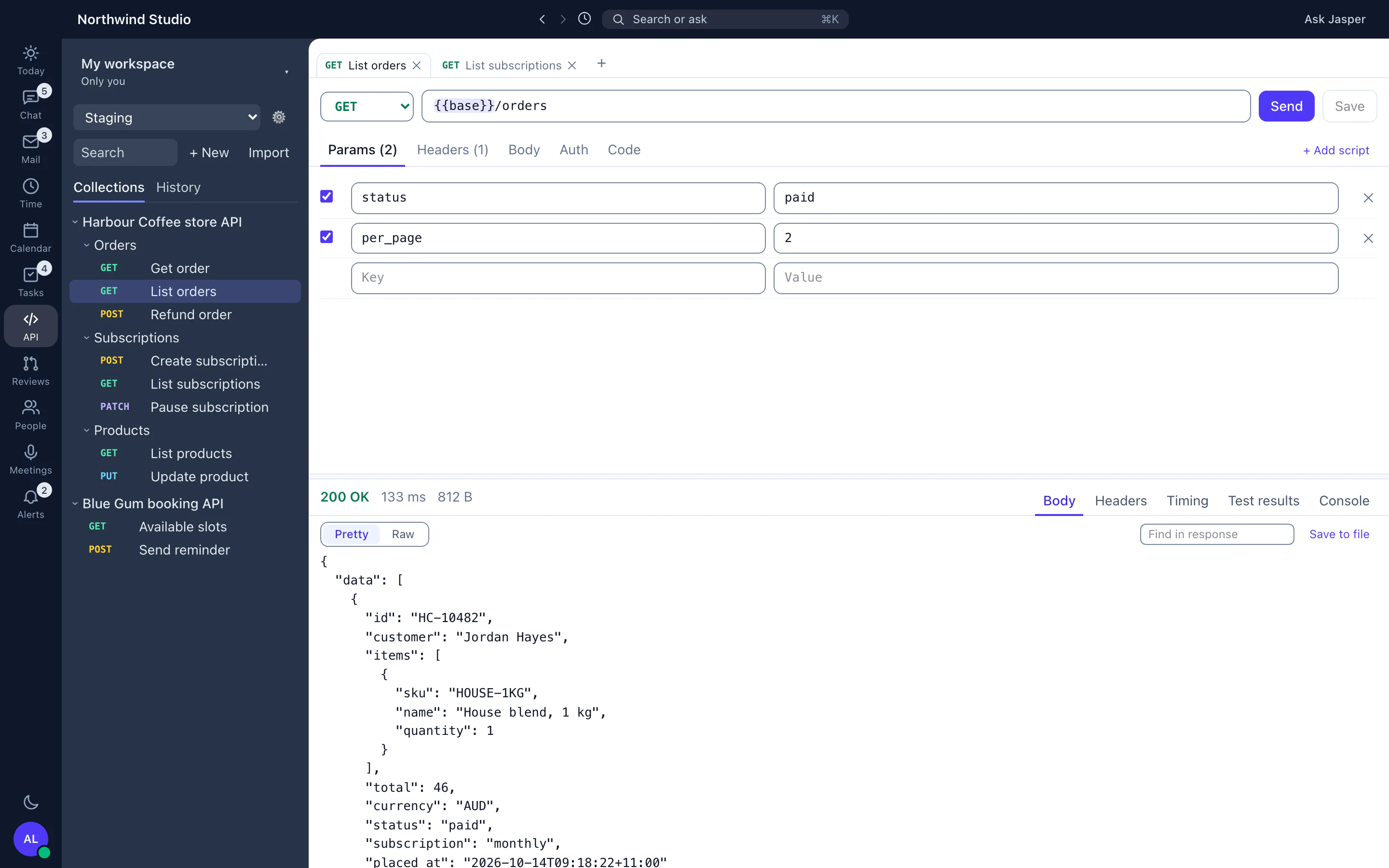
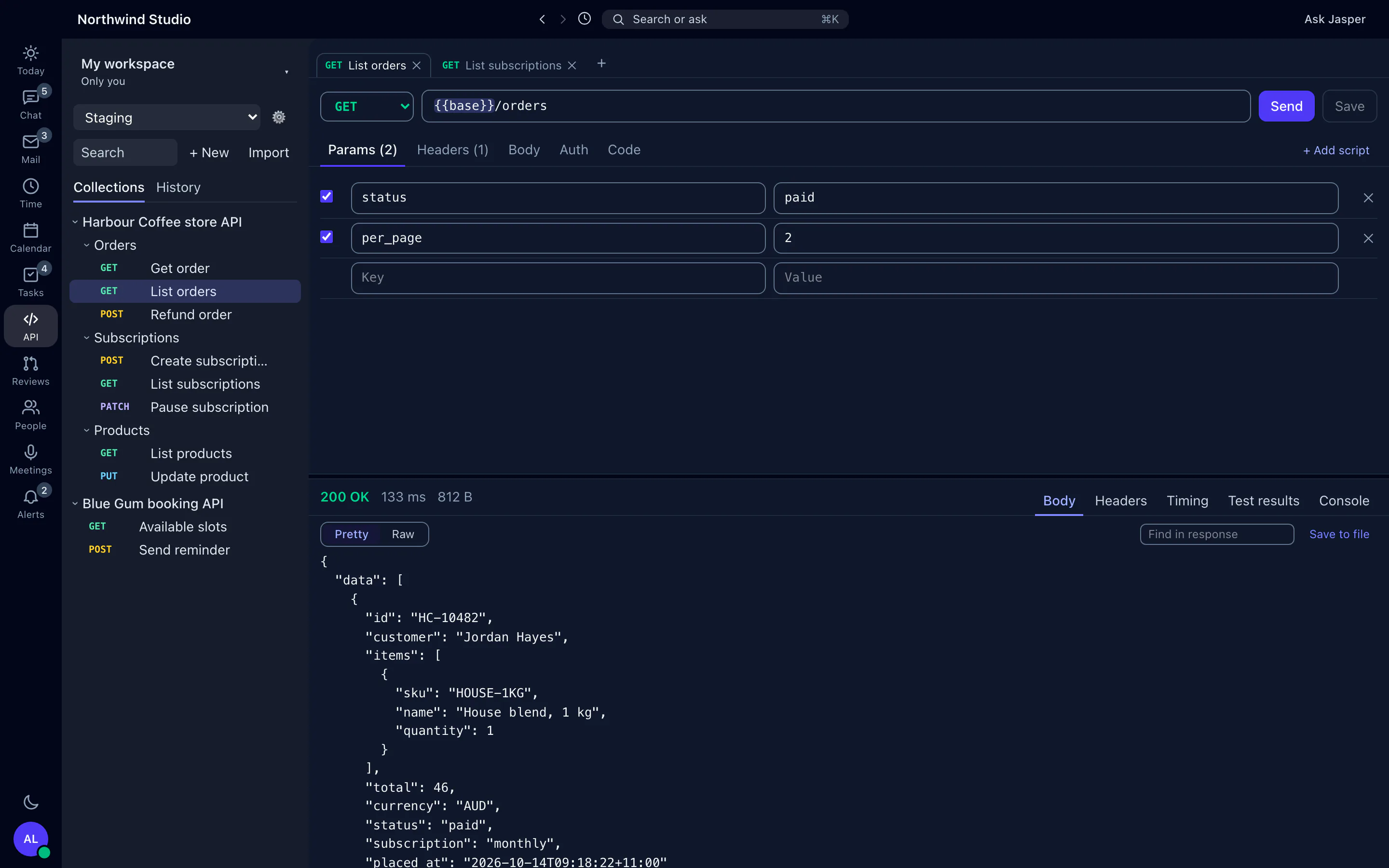
Keep requests in collections and nested folders. A collection in My workspace is yours alone. Move it into a team workspace and give people a Viewer, Editor or Admin role. People can ask to join a workspace, and its admins approve them. Teammates see your changes as soon as you save them.
Requests that run from your computer
The desktop app sends each request from your own machine, so localhost, VPN and intranet APIs work. Use GET, POST, PUT, PATCH, DELETE, HEAD or OPTIONS, with JSON, XML, form, file or GraphQL bodies. For development servers with their own certificates, trust a certificate for one host at a time, and Jasper refuses it if it changes. Copy any request as cURL, Node, Python or PHP code.
Environments, variables and secrets
Switch environments, use {{variables}} in any part of a request, and let Jasper suggest the right name when you mistype one. A request with an undefined variable doesn't send. Secret values are encrypted with your computer's keychain, and protected environments ask before sending anything but a GET.
Postman scripts and auth
Pre-request and test scripts run in Postman's own script engine at collection, folder and request level, including pm.sendRequest, with test results and console output beside the response. A collection someone else made asks before its scripts run. Auth covers bearer tokens, basic, API keys, digest, OAuth 1.0, AWS Signature, Hawk, NTLM and more.
History and versions
Your last 500 sends are kept on your computer to send again. The workspace keeps everyone's sends, so you can compare one with the last and copy it as cURL. Changes show in the activity log, with earlier versions to restore.
On the web too
The same collections open in the browser. The web adds monitors that run a collection on a schedule and alert you by email or webhook, saved examples, public docs for a collection, and AI help. It sends requests from Jasper's server, so it can't reach private addresses, and it doesn't run scripts.
How agencies use it
One set of client API collections
Each client's APIs live in a shared workspace. A new developer joins it on their first day, picks the client's staging environment, and adds their own credentials as secrets, encrypted with their computer's keychain.
Testing on localhost and the client's VPN
Because the desktop app sends requests from your machine, the same collection works against your local build, the staging server behind the client's VPN and production.
What it doesn't do yet
- There is no collection runner button and no command-line runner. Monitors on the web run a collection on a schedule.
- OAuth 2.0 tokens are pasted in, not fetched. WebSocket and gRPC requests are not supported.
- Monitors, saved examples, public docs and AI help are on the web only, and the web client doesn't run scripts.
- Postman collections import from v2.0 and v2.1, not v1, and cURL import doesn't read multipart
-Ffields. - You move requests and folders with a menu, not by dragging them.
How it connects
Web: Collections, environments, history and activity, plus monitors that run a collection on a schedule, saved examples, public docs and AI helpers. The web client runs no scripts and blocks private addresses.
Desktop app (macOS, Windows and Linux): Requests sent from your computer with Postman scripts, secrets in your keychain, cURL import, code samples, and edits made offline that sync later.
- Postman: import collections and environments from a file or your Postman account, and sync them one way from Postman while you move.
- OpenAPI 3.0 and 3.1 and Swagger 2.0 import, and cURL paste.
- Collections export as Postman v2.1.
- Monitors on the web: alerts by email or webhook when a scheduled run fails.
Integration pages: Postman
Plans
The API client is in the free plan, shared workspaces included. See pricing.