The problem it solves
Documentation that lives in a separate tool goes stale. Jasper puts the wiki one click from the chat where the questions get asked.
Agencies run on knowledge that walks out the door: how a client's hosting is set up, which environments they have, what the handover steps are, and how reviews work here. When that lives in someone's head or in scattered documents, onboarding is slow and every handover is a risk.
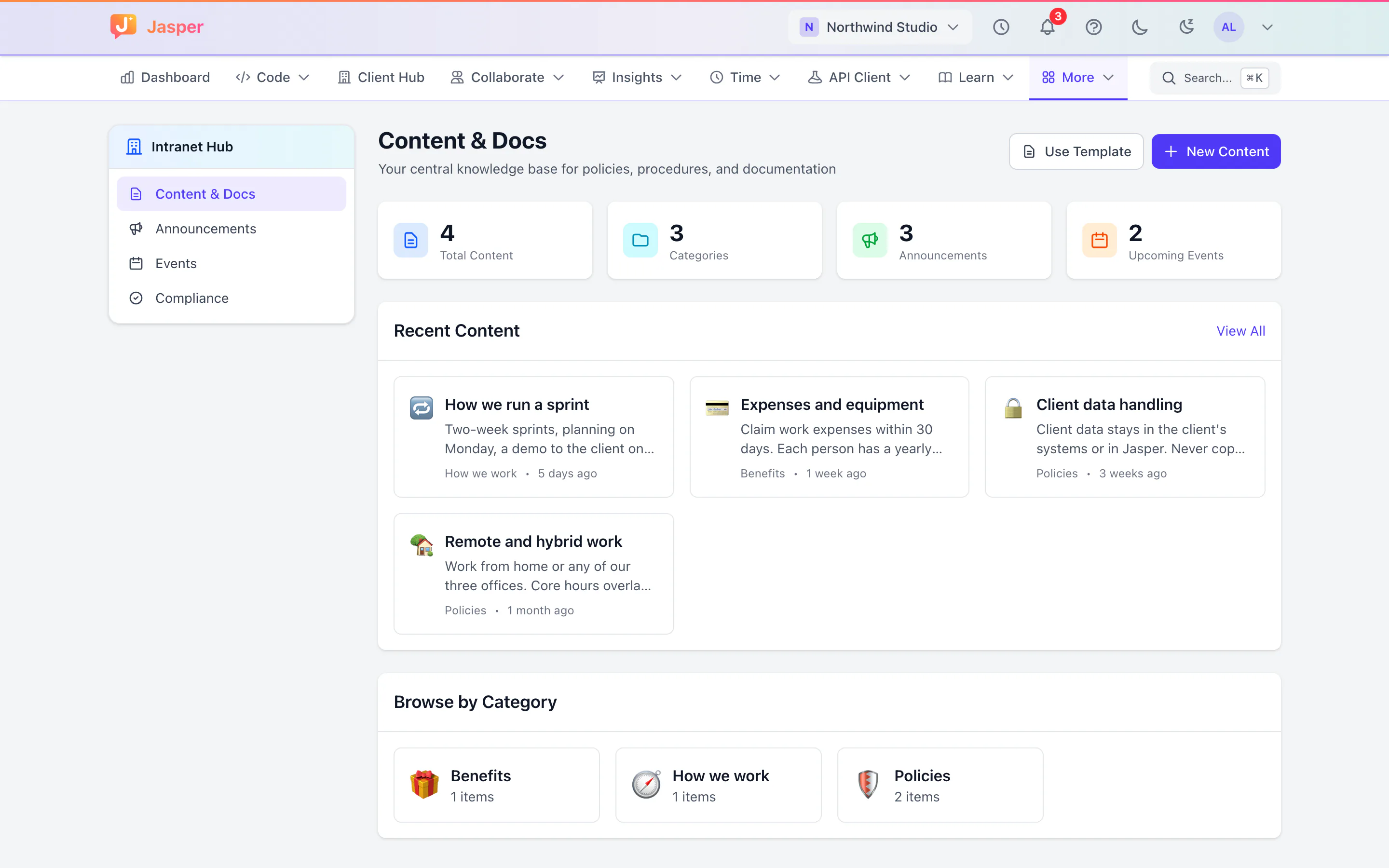
The Jasper wiki is in the same workspace as your chat, so the answer to "where is that written down?" is a link away. On team plans, the intranet adds announcements, company events and policies people confirm they have read.
What it does
Workspaces and access
Organise pages into workspaces and nested pages, for example one workspace for each client and one for the agency's own processes. A workspace is open to everyone in your organisation, or private.
Write and find pages
Mark the pages you use most as favourites, search across pages, and see the pages you viewed recently.
Version history
A new version is kept each time a page's content changes. See earlier versions of a page, and restore one if you wrote the page.
Intranet (team plans)
The wiki is for reference. The intranet is for things everyone needs to see, by a date.
- Announcements: staff read company announcements in one place.
- Events: a list of upcoming company events.
- Policies: staff confirm they have read a policy, and you see how many still have to and the compliance rate for each policy.
Announcements, events and policies are created through the API for now; the app has no screens for creating them yet. Intranet content can be archived automatically when it expires.
How agencies use it
A workspace for each client
Each client gets a workspace with its environments, contacts, deployment notes and handover documents. When someone joins the account, they start there. Our client onboarding checklist makes a good first page.
The agency handbook
How to log time, how to request leave, how code reviews work: processes and how-tos live in an agency workspace. When someone asks in chat, the answer is a link, and earlier versions of the page are kept.
Policies people actually read (team plans)
When the leave policy changes, staff confirm on the intranet that they have read it. A week later operations checks how many still haven't.
What it doesn't do yet
- Only a page's author can edit it or restore an earlier version. Workspace roles can't be set in the app yet.
- No page templates, attachments, tags, comments or AI writing help in the web app yet.
- No side-by-side comparison of versions. You can see earlier versions and restore one.
- Intranet announcements, events and policies can't be created in the app yet, and there is no calendar feed of company events.
- The wiki is in the web app only. It isn't in the desktop app and doesn't work offline.
- No public pages and no pages shared with clients. Everyone who reads the wiki must be a member of your organisation.
- No import from other tools such as Confluence or Notion.
- No mobile app.
How it connects
Web: The wiki and the intranet.
Desktop app (macOS, Windows and Linux): Not in the desktop app.
Plans
The wiki is in the free plan. The intranet is on team plans. See pricing.