A day at an agency, in two minutes
Seven screens, in the order an agency team uses them: from the calendar and the client call to the timesheet and the retainer. Every screenshot shows sample data.
-
Step 1 · Start of the day
See the week before you open anything else
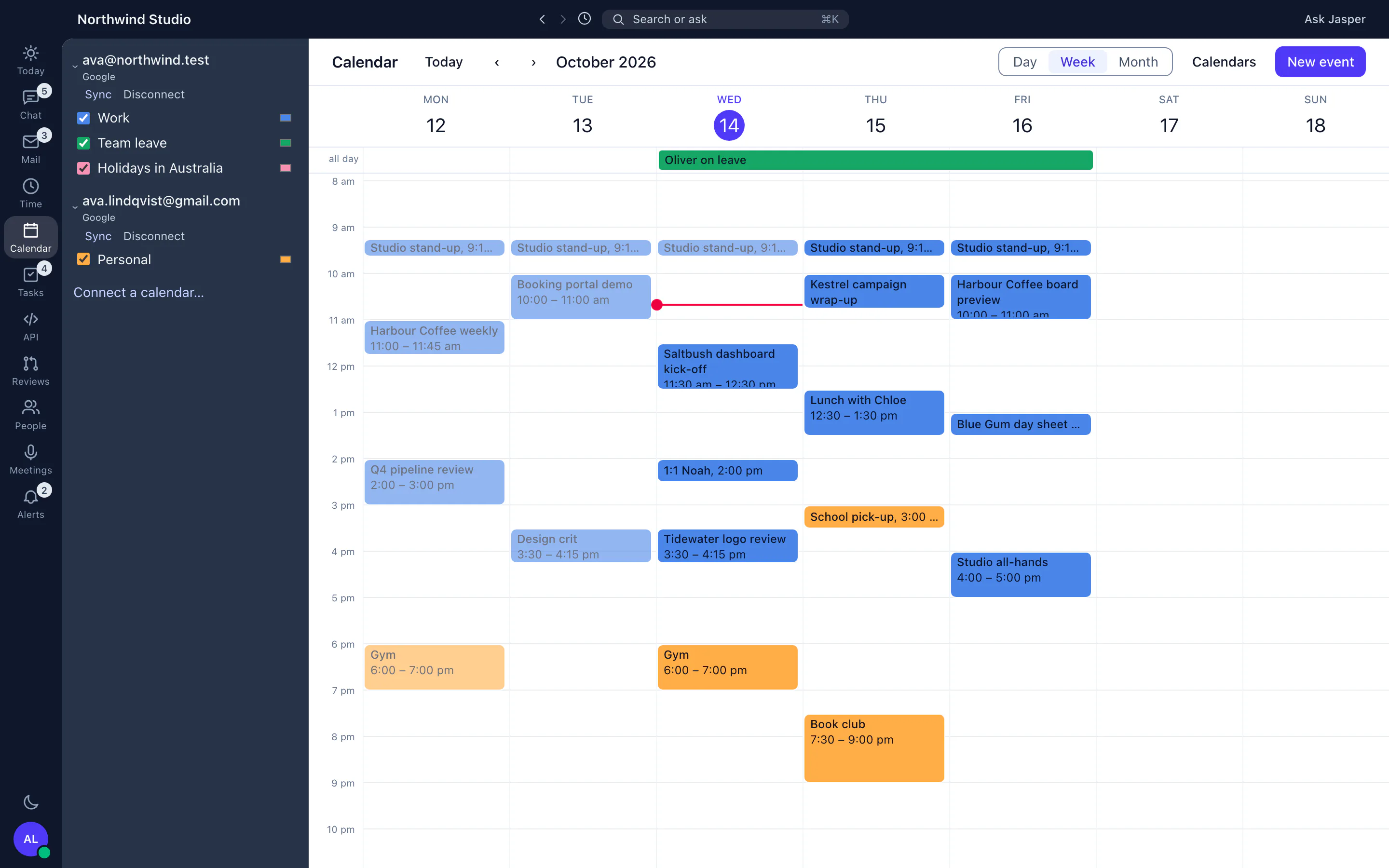
The calendar sits in the desktop app beside chat and mail, with your calendars, team leave and client meetings in one week view. Connecting your own calendar is not open to other companies yet, so this screen shows sample data. About Jasper Calendar.
Jasper Calendar, shown with sample data. -
Step 2 · Morning
Talk to the team and the client
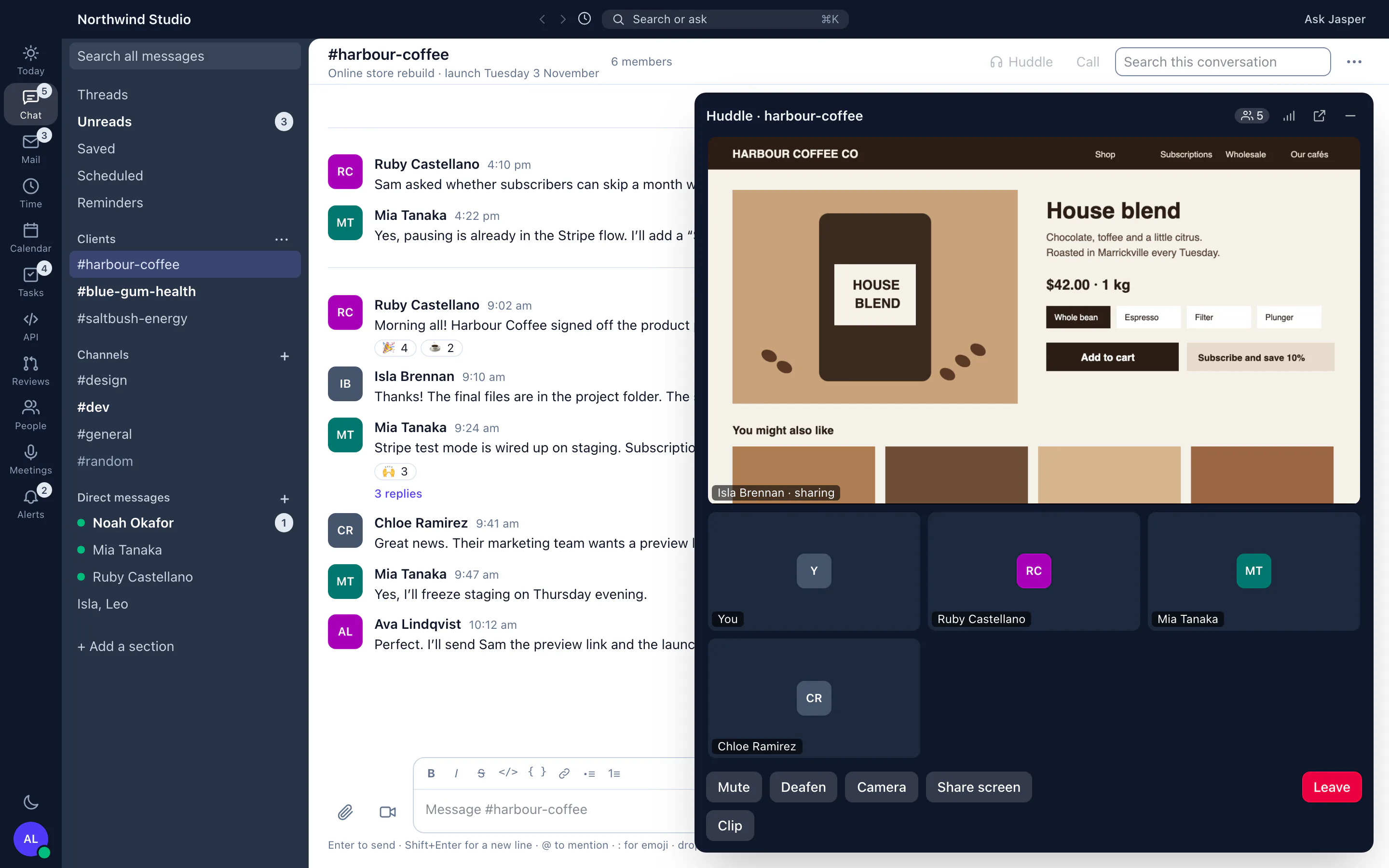
Client channels, threads and direct messages. In the desktop app a huddle or a call is one click from any conversation, with screen sharing. About Jasper Chat.
Jasper Chat, shown with sample data. -
Step 3 · Late morning
Record the call and get the notes
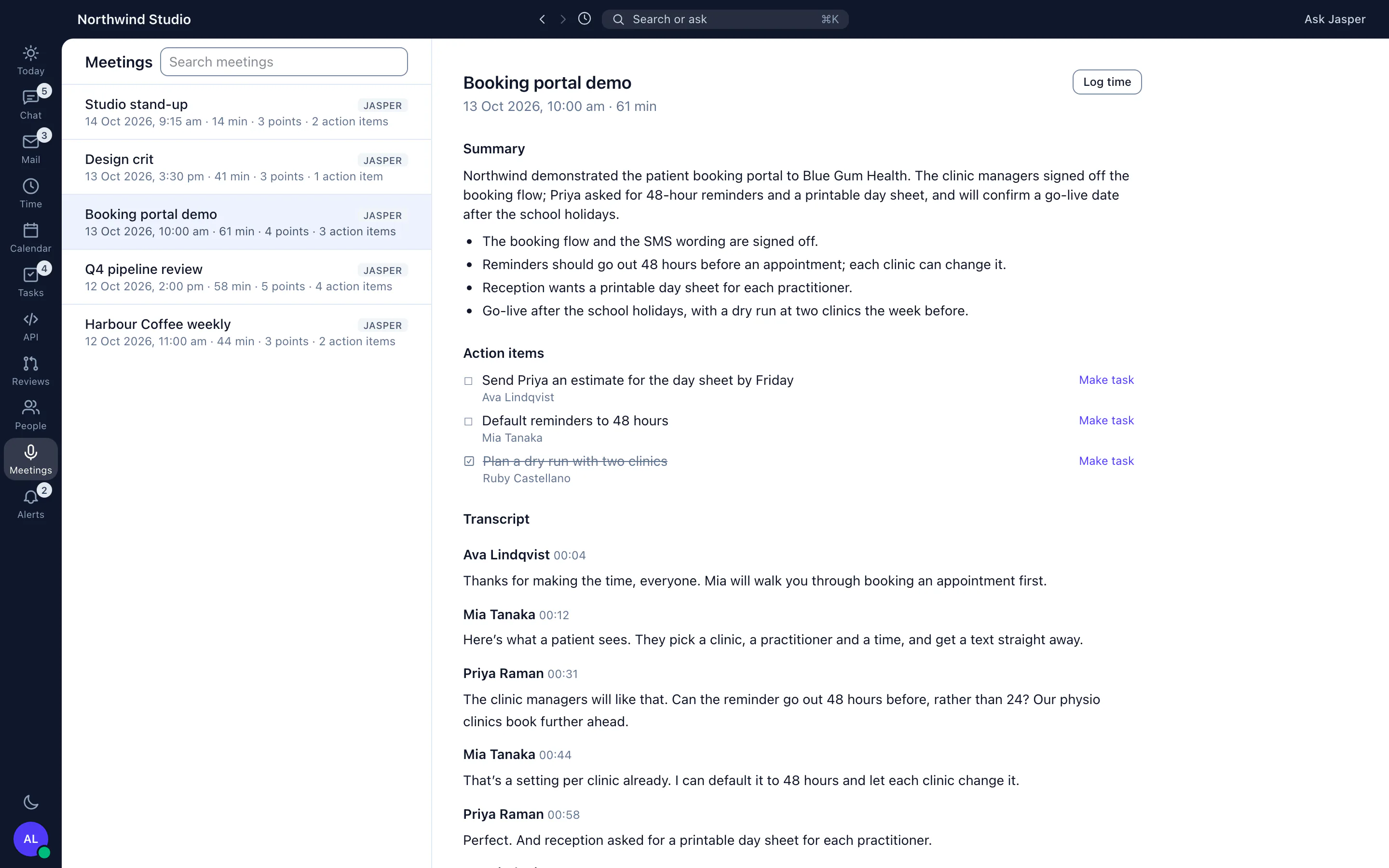
When your organisation records its calls, each one lands in Meetings with a transcript that names each speaker, a summary, key points and action items. About Jasper Meetings.
Jasper Meetings, shown with sample data. -
Step 4 · Midday
Turn action items into tasks
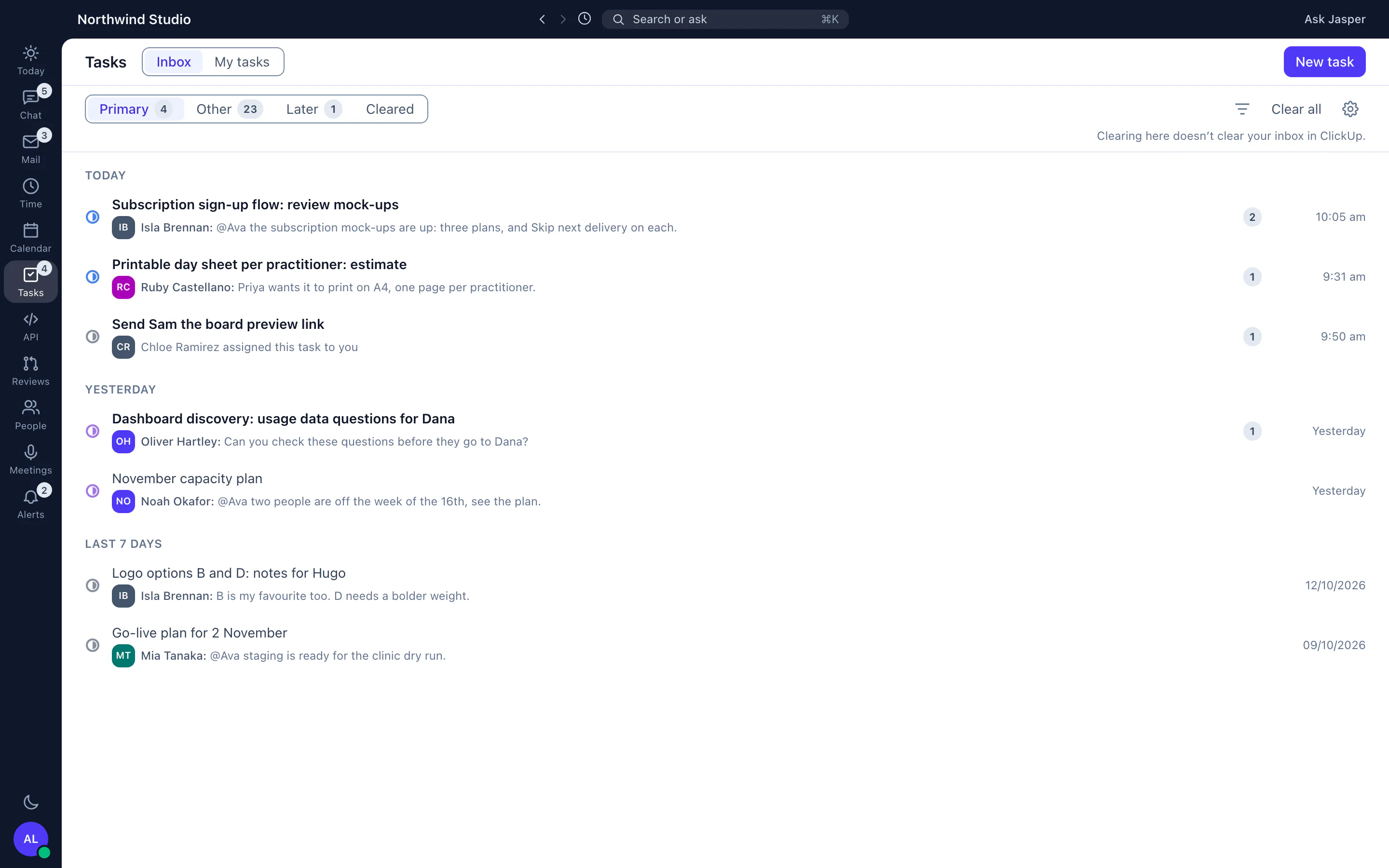
Tasks brings your ClickUp tasks and their updates into the desktop app, so an action item from the call becomes a task you can comment on and start a timer from. About Jasper Tasks.
Jasper Tasks, shown with sample data. -
Step 5 · Afternoon
Track the time against the client
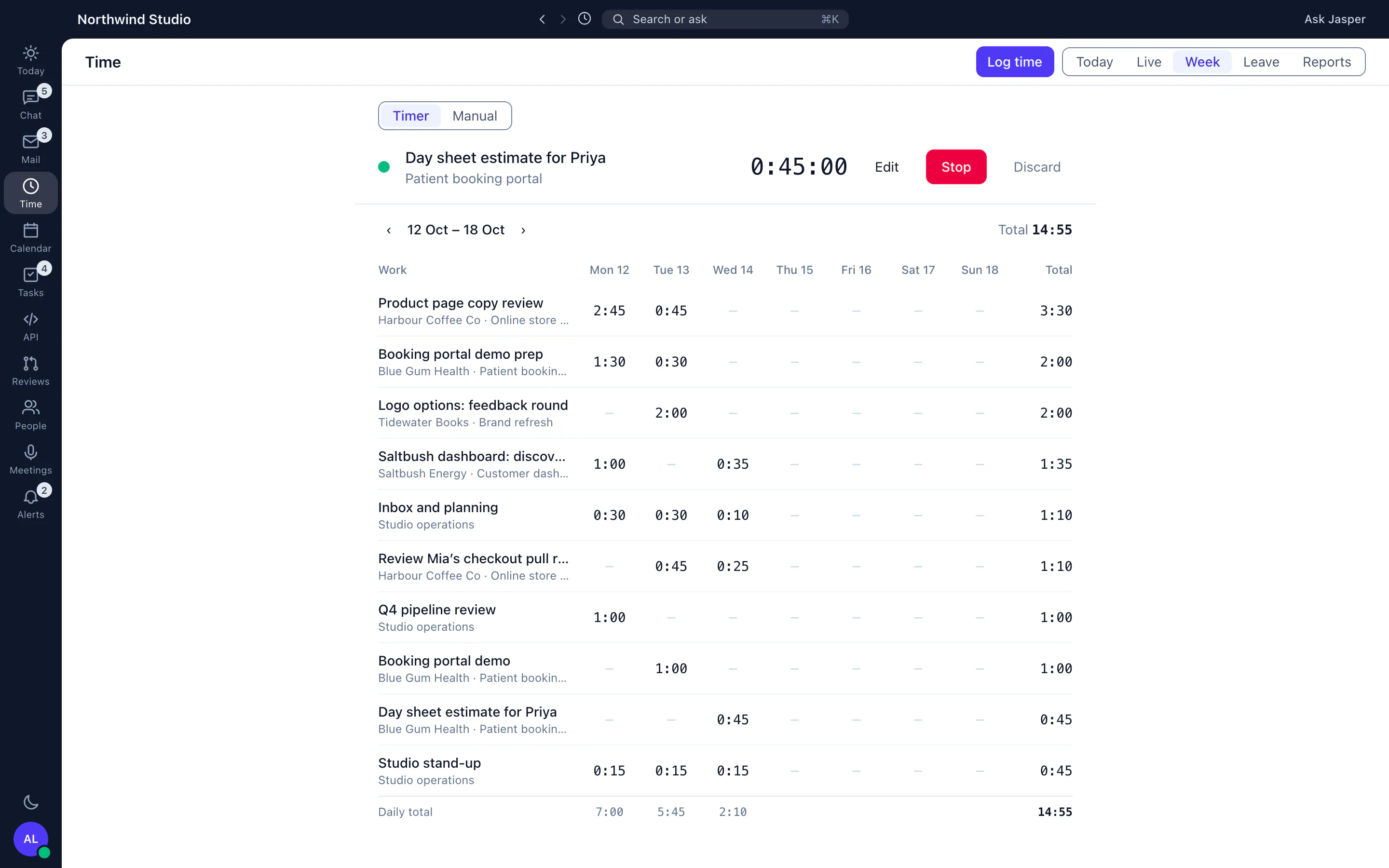
Start the timer in the browser or the desktop app, log it against a client and project, and submit a weekly timesheet for a manager to approve. About Jasper Time tracking.
Jasper Time tracking, shown with sample data. -
Step 6 · End of the week
Check the client's retainer
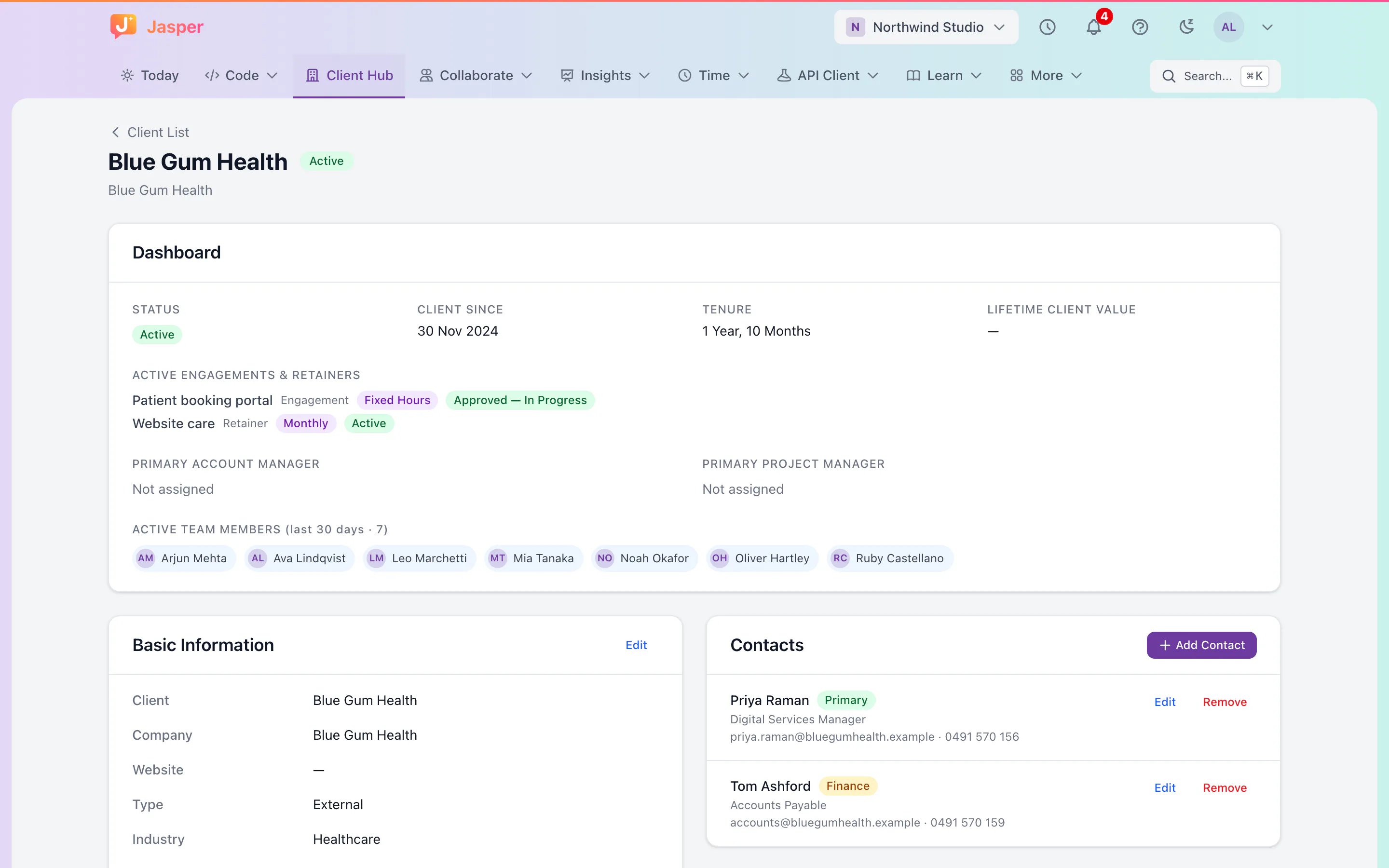
The Client Hub shows a client's engagement and retainer, drawn down by the hours on your timesheets, with the account's contacts and who worked on it. About Jasper Client Hub.
Jasper Client Hub, shown with sample data. -
Step 7 · Any time
Read the client's email beside their work
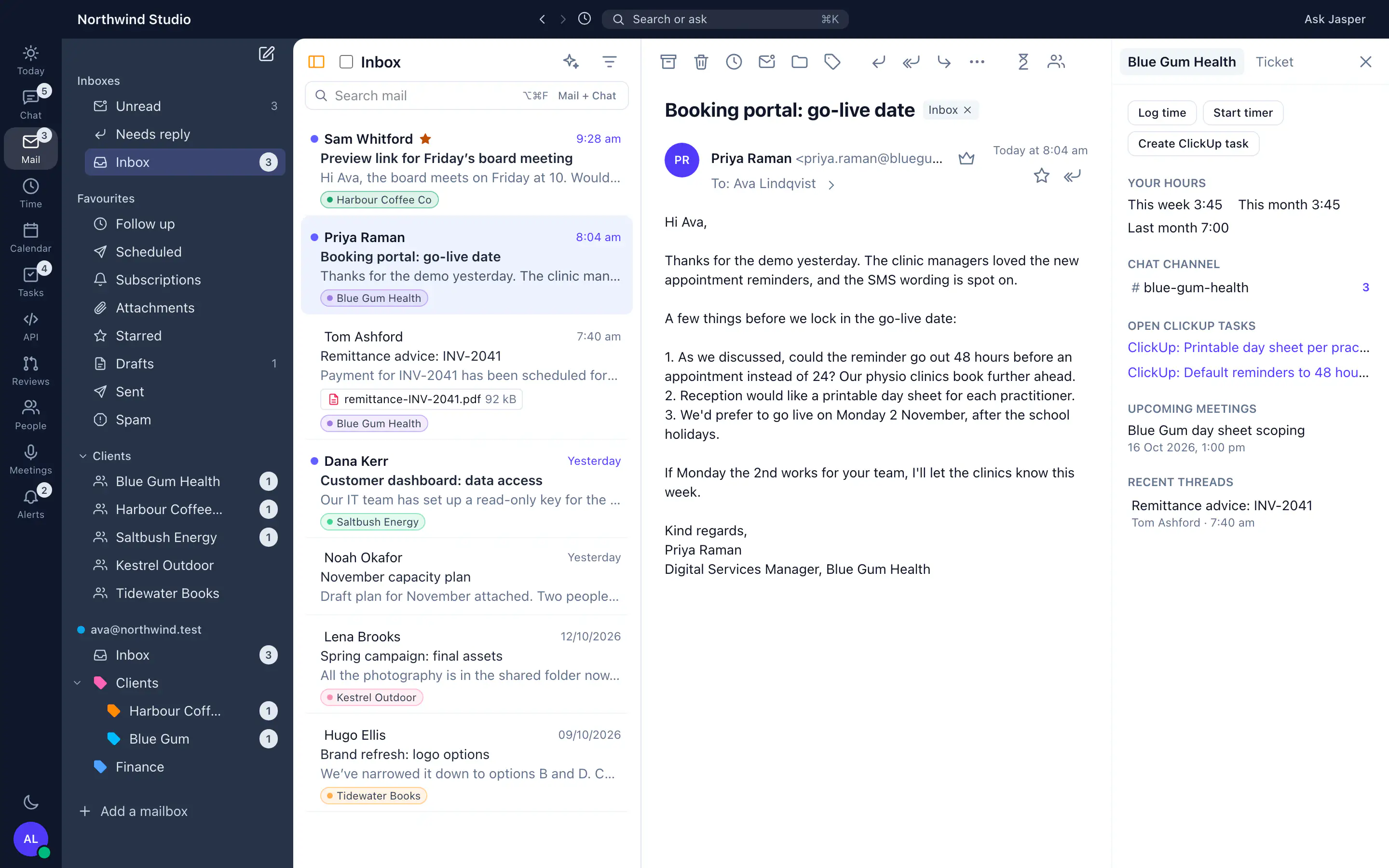
Mail brings your mailboxes into the desktop app. A client's email appears beside your hours on that client and its open tasks. About Jasper Mail.
Jasper Mail, shown with sample data.
Want it walked through with your own team?
Tell us about your agency and we will show you around. Free covers Chat and Time for up to 3 people. Mail, the wiki, leave and uptime monitoring are in other apps: see what is in each plan.
Book a demo