A Time Doctor alternative for agencies
Time Doctor is built to monitor remote teams: automatic tracking, screenshots, web and app usage, productivity ratings, attendance, break and leave tracking and payroll. Jasper does none of the monitoring and is not a substitute for it. Choose Time Doctor if you need proof of work or attendance. Choose Jasper if you want honest timesheets, leave, retainer hours, chat and mail without watching people.
Time Doctor at a glance
- Time Doctor trial
- 14 days, no credit card
- Time Doctor watches
- Screenshots, web and app usage
- Time Doctor apps
- Windows, Mac, Linux, Chrome and mobile
- Facts checked
- 15 Nov 2026
Where each product is better
Where Time Doctor is better
- Monitoring: screenshots, web and app usage, productivity ratings, inactivity alerts and video screen recording. Jasper deliberately has none of them.
- Attendance, break and schedule tracking, and payroll (with a paid add-on for its native payroll integration), for teams that pay from tracked hours.
- Automatic tracking that records time for people without a timer to start.
- Reports on unusual activity, meeting insights and benchmarks, on its higher plans or as add-ons.
Where Jasper is better
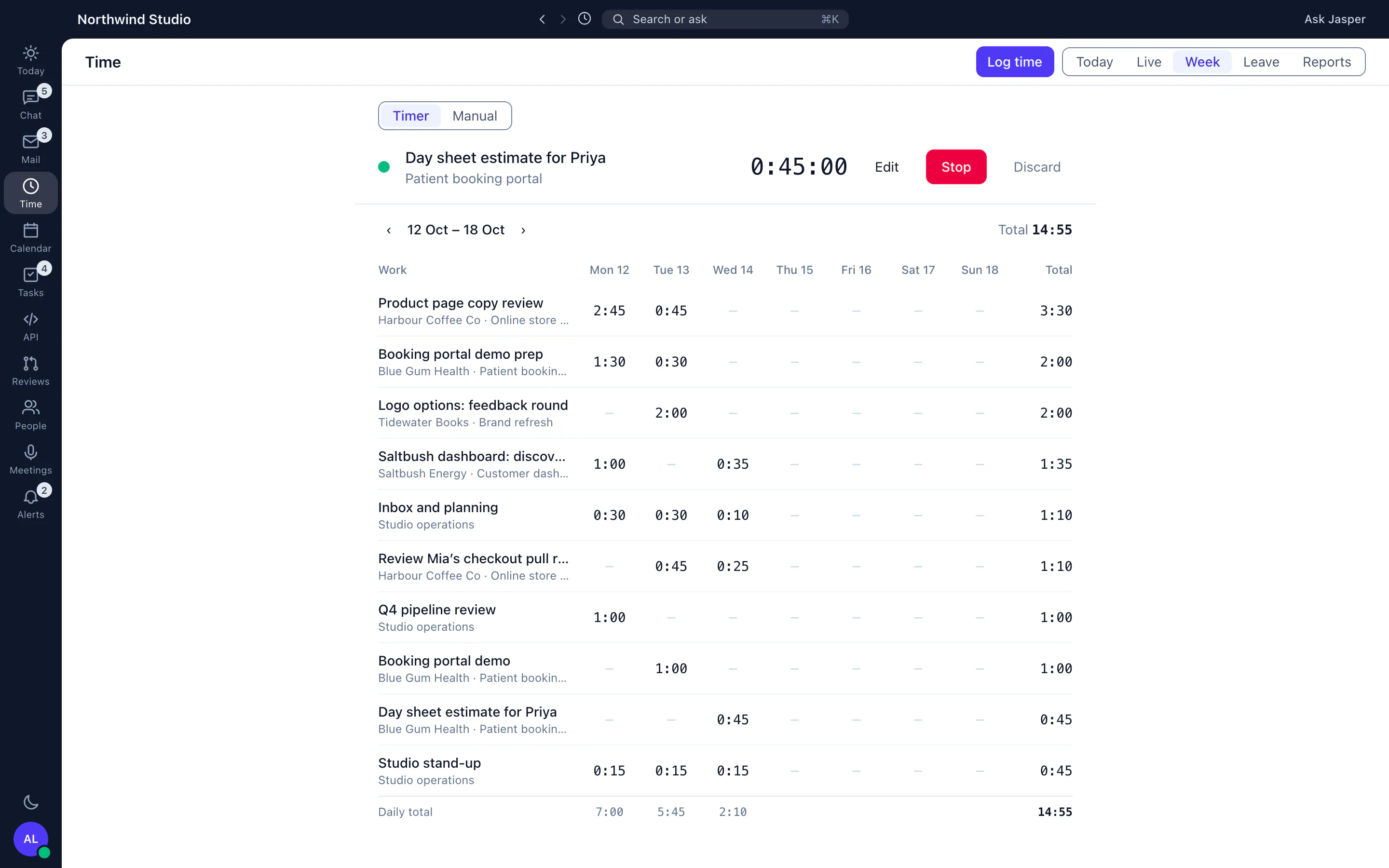
- No monitoring. The desktop app checks whether you are idle and asks what to do with that time. It does not capture screens, apps or websites.
- Chat, calls and mail in the same workspace as the timer.
- Retainers in the Client Hub that draw down from logged time, for agencies that sell hours rather than pay them.
- Leave with accrual policies and per-office public holidays beside the timesheets.
Jasper vs Time Doctor: the facts
Each Time Doctor fact links to the page we read it on. Each Jasper fact links to the Jasper page that describes it.
Time Doctor pricing
| Plan | Price, as Time Doctor shows it |
|---|---|
| Basic | US$8 per user/month month to month, or US$6.67 per user/month billed annually (the figure on the plan card) |
| Standard | US$14 per user/month month to month, or US$11.67 per user/month billed annually (the figure on the plan card) |
| Premium | US$20 per user/month month to month, or US$16.70 per user/month billed annually |
| Enterprise | Custom plan, with private cloud deployment and custom contract terms |
Annual prices are per user per month. Time Doctor offers a 14-day trial of every feature with no credit card; the trial starts on Premium. It also sells add-ons, such as video screen recording and unusual activity reports, per user per month. Prices are copied as Time Doctor's own page showed them to us on 15 Nov 2026; your currency may differ.
Jasper: free to start, with chat and time tracking for up to 3 people. Mail is in the Mail app, the wiki in Work, leave and the intranet in People, and uptime monitoring in Dev. See pricing or talk to us.
Moving from Time Doctor
- Export the time you want to keep from Time Doctor.
- Keep your Time Doctor export for past hours: Jasper HQ has no importer for Time Doctor yet.
- Tell your team plainly that Jasper does not monitor them: there are no screenshots, no activity scores and no automatic tracking, so people start the timer or log time themselves.
- Set up clients, projects and leave policies in Jasper. Keep paying from your own payroll tool, using Jasper's CSV or PDF exports.
See Jasper for yourself
Start free and invite your team, or contact us with a question.
Questions people ask
Does Jasper take screenshots like Time Doctor?
No. Jasper does not take screenshots or track other apps or websites. The desktop app only notices when you are idle.
Does Time Doctor have a free trial?
Yes. Its pricing page offers a 14-day trial of every feature with no credit card.
Is Jasper a good fit for monitoring remote staff?
No. If you need screenshots, activity data or attendance records, Time Doctor is the better choice. Jasper suits teams that trust their people and want honest timesheets.
Can I import my Time Doctor history into Jasper?
There is no importer for Time Doctor yet, so your time history stays in Time Doctor and in its exports. Jasper HQ imports time entries from one source only, a Clockify Detailed report CSV. What you can set up quickly: clients and projects by hand, and leave balances from a CSV in Leave settings (hours only; each row replaces that person's balance).
Sources and review log
- https://www.timedoctor.com/pricing, checked 15 Nov 2026
We read every Time Doctor fact on Time Doctor's own website, and remove any we can't confirm. Next review due 15 Mar 2027. Tell us if something here is out of date.
Related comparisons
More from Jasper
Time Doctor is a trademark of its owner, used here only to identify the product we compare against. Jasper HQ is a team workspace built by Shakewell. Jasper HQ is not affiliated with Jasper AI.