A software team, whether it is a product company's engineering group or a consultancy building for others, needs less project management than it needs fast feedback: someone to look at the pull request, a place to test an API, a way to know when production is down, and honest hours when the work is billed. Jasper puts those in one workspace with the chat the team already uses.
Workflows software teams run in Jasper
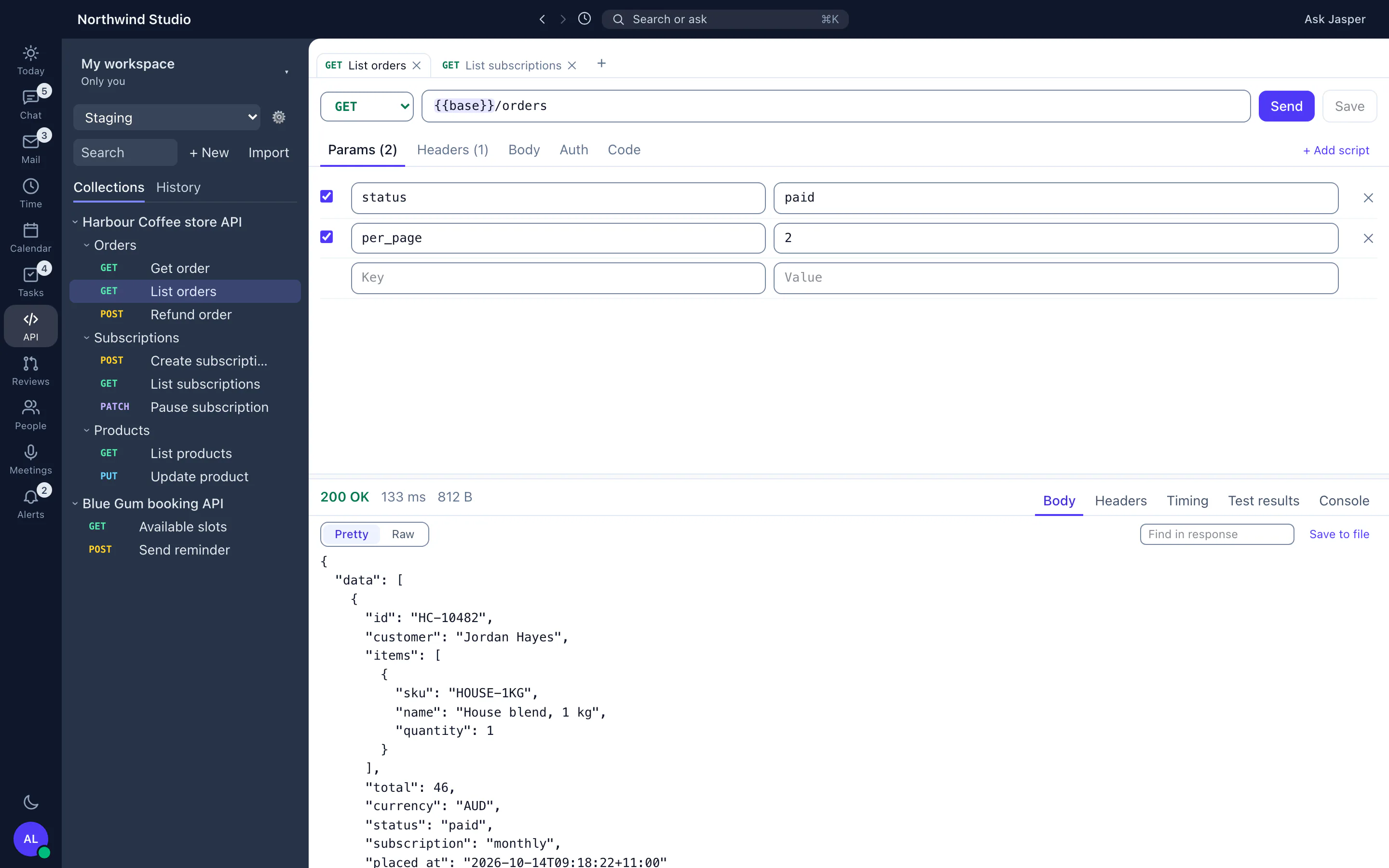
A first review on every pull request
Install the Jasper GitHub App and each pull request is reviewed by Anthropic's Claude when it opens and when new commits arrive, with inline comments and suggested fixes. Developers ask for more with slash commands: explain, improve, security, docs, summary or review. Give each repository its own review instructions, and Jasper follows its AGENTS.md once you load it. Read what code review and a pull request mean in practice.
Quality gates in the Dev app
In the Dev app, block merges that fail your quality rules and set up branch protection with Jasper's help, so every repository is held to the same standard. The free pull request title validator, commit message checker and code complexity calculator work without an account.
An API client the whole team shares
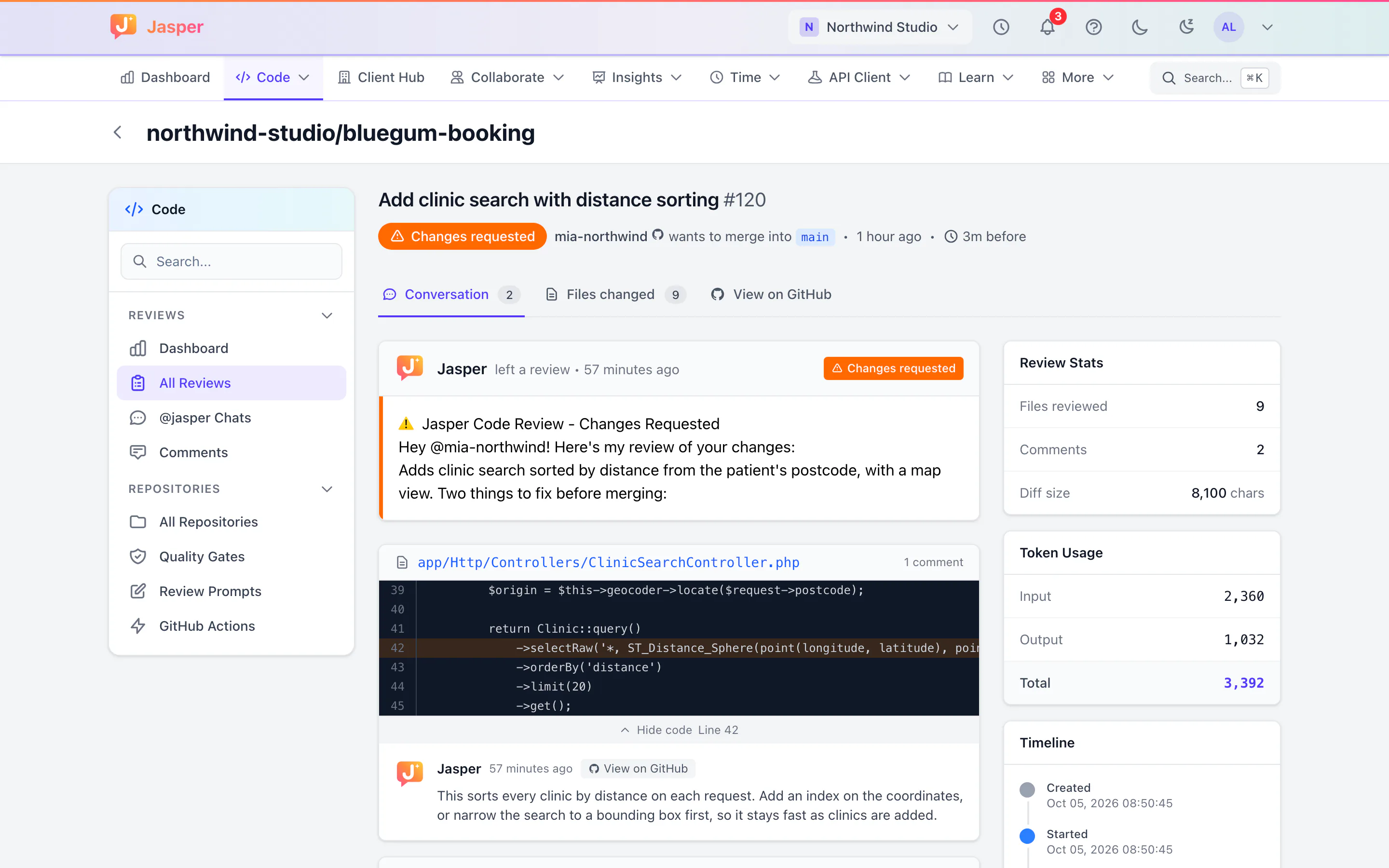
Build and send requests in the desktop app from your own computer, so localhost, VPN and intranet APIs work. Keep collections in shared workspaces with Viewer, Editor and Admin roles, run Postman pre-request and test scripts, switch environments, and import Postman collections, OpenAPI files or a cURL command. See API client for the idea in plain terms.
Knowing when production is down
Monitor HTTP endpoints, DNS, domain expiry and scheduled jobs with heartbeat checks, and get alerts by email, Slack webhook or your own webhook. Each outage opens an incident, and a public status page shows chosen monitors. Uptime monitoring is in the Dev app. See uptime monitoring. To see a week of error metrics for each repository, follow the Sentry setup guide.
Time for consultancies
A software consultancy still sells hours. Log time against the client and, optionally, a ClickUp task, approve timesheets, and track fixed-hours or time-and-materials engagements against the hours scoped in the Client Hub. Time tracking and the Client Hub are in the Time app.
Documentation and onboarding
The wiki holds runbooks and architecture notes with search and version history. Jasper Learn runs onboarding courses for new starters and keeps completion records. Both are in the web app.
Where Jasper stops for software teams
- Code review covers GitHub pull requests only, and an AI review is a first pass, not an approval.
- No CI or deployment tooling.
- Uptime checks run from one location, and keyword, port and SSL certificate checks cannot be set up from the monitor form yet.
- Single sign-on (SSO) is not offered yet.